
Bloom Garden — An Early UX Case Study
This was an early end-to-end UX project — done as part of a team in the initial phase of my design career.
Role: Junior UX Designer · Team project · Feb 2021 – Mar 2021
I’m including this project because it shows how I approach a problem from scratch — the full process from research through to a working prototype, at a stage when every decision was a learning in itself. This project was done in one month, during a pandemic, with a team collaborating entirely remotely. The constraints were real — but so was the process. The thinking underneath every screen came from genuine user research, not assumption.
Purpose of Project
Most people who buy plants don’t kill them on purpose — they kill them out of confusion. Which plants need water every day? Which ones hate direct sunlight? What do you do when the leaves start turning yellow?
Bloom Garden was designed to answer those questions before the user had to ask — a mobile app for beginners who want to grow plants at home but don’t know where to start.
Target Audience
Working professionals aged 22–50 who want to grow plants at home but lack the time, knowledge or confidence to do it without guidance. We identified three user types — complete beginners with no plants, beginners with a few existing plants and users with a small garden who needed maintenance help.
Design Strategy
We followed the five-stage Design Thinking process — Empathise, Define, Ideate, Prototype, Test — to ensure every design decision was grounded in real user needs rather than assumptions.
Key Challenges and Constraints
This project was done entirely remotely during the pandemic. Collaborating on early-stage research and ideation without being in the same room was harder than I expected — especially for the affinity mapping and sketching phases where physical proximity usually helps. We worked through it using Miro and video calls, but it taught me early that remote collaboration needs more structure, not less.
Problem Statement
How might we design a mobile app that helps urban plant owners — especially beginners — care for their plants confidently, without needing expert knowledge or a gardener on call?
Research Conducted
We started with a short online survey targeting working professionals who owned plants or wanted to. The responses were clear — people weren’t struggling because they didn’t care. They were struggling because plant care information online is scattered, jargon-heavy and hard to trust.
Next, we rephrased our assumptions and obstacles into sprint questions. Turning these potential problems into questions makes us easier to track. Our Sprint questions are as follows:
1. How can we design in a way that the information (knowledge) is presented in a concise (or complied) manner to a user?
2. People with only a few pots don’t want to hire a gardener — but they do need some guidance.
3. People want to grow plants but don’t know where to start because they lack the basic skills and knowledge.
After discussion, we were able to come up with a simple journey map.
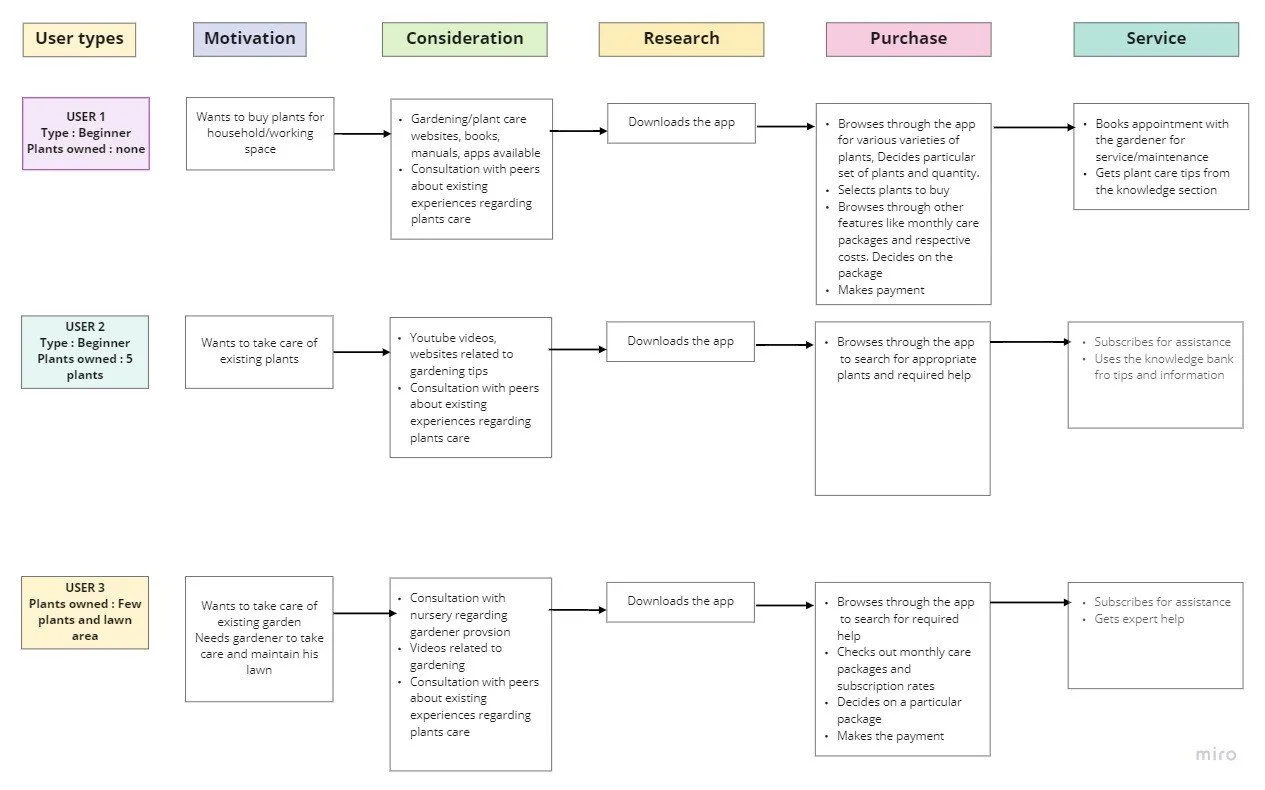
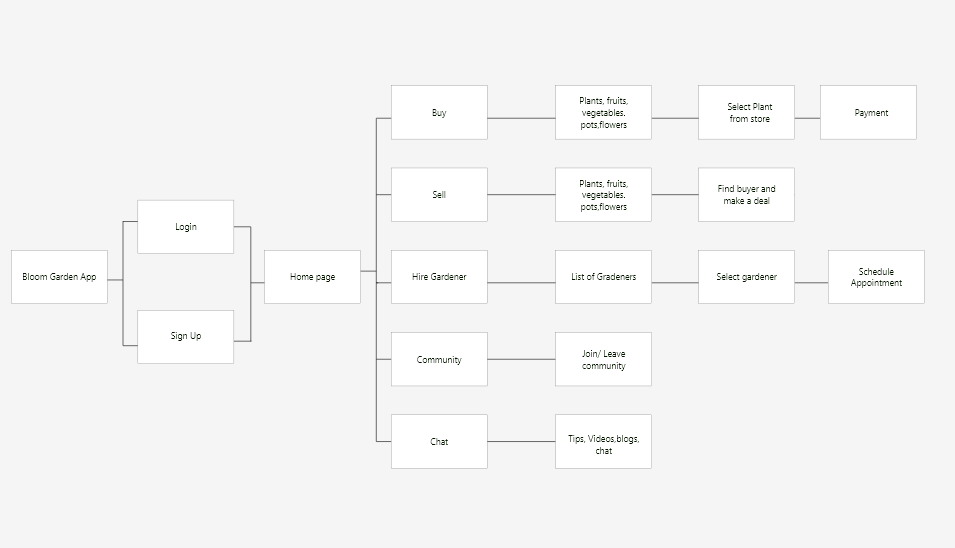
With three distinct user types mapped, we moved into ideation — translating their journeys into a user flow that would shape the app’s information architecture. The app needed to serve a beginner buying their first plant and an experienced user booking a gardener — without making either feel like they were in the wrong place.
Sketches and Wireframes
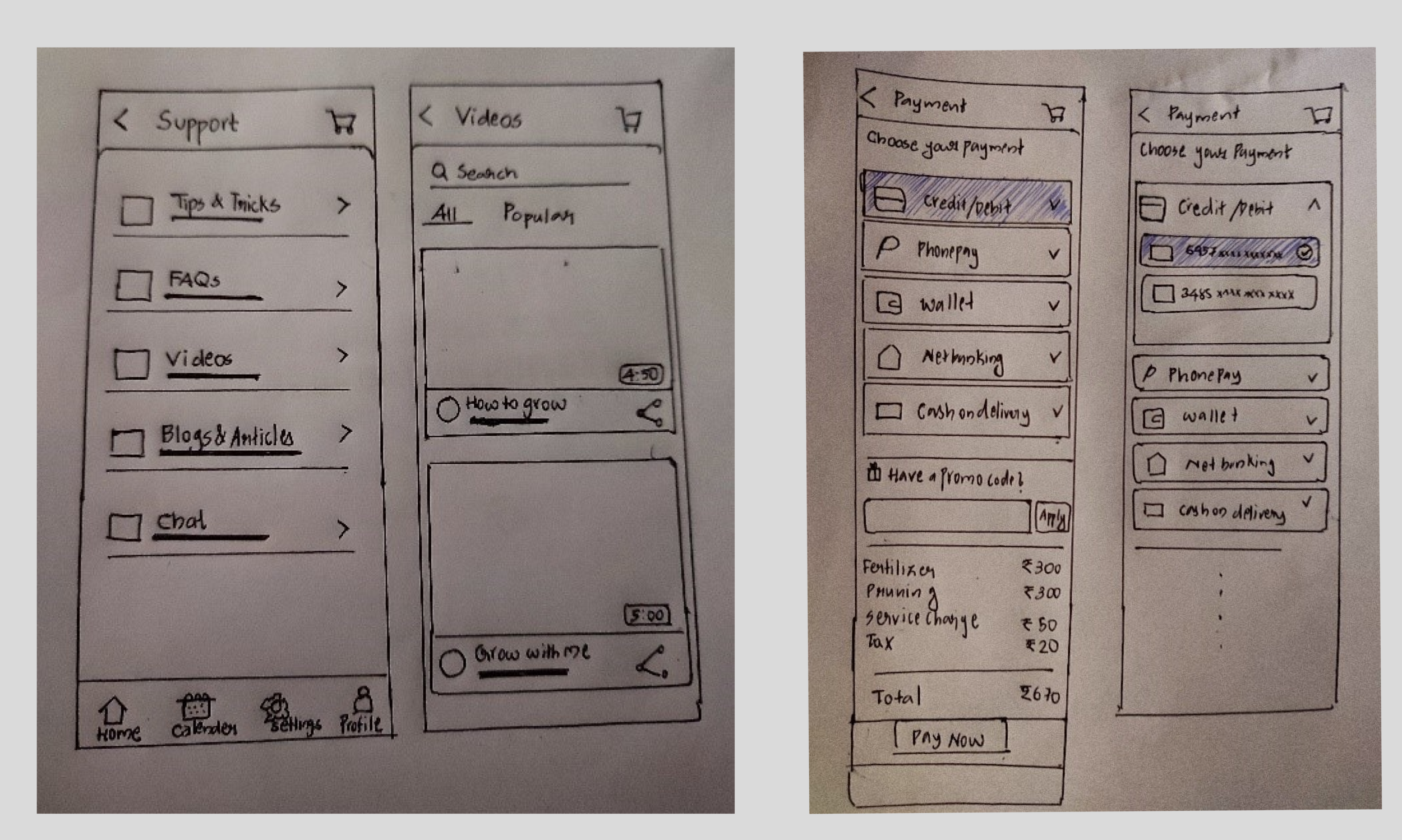
We started with hand-drawn sketches — fast and low-commitment, which was the right call at this stage. The sketches focused on the screens users would hit most often: the support hub, video library, payment flow, and service booking. Moving from paper to digital wireframes forced us to make decisions we’d been putting off about hierarchy and navigation.
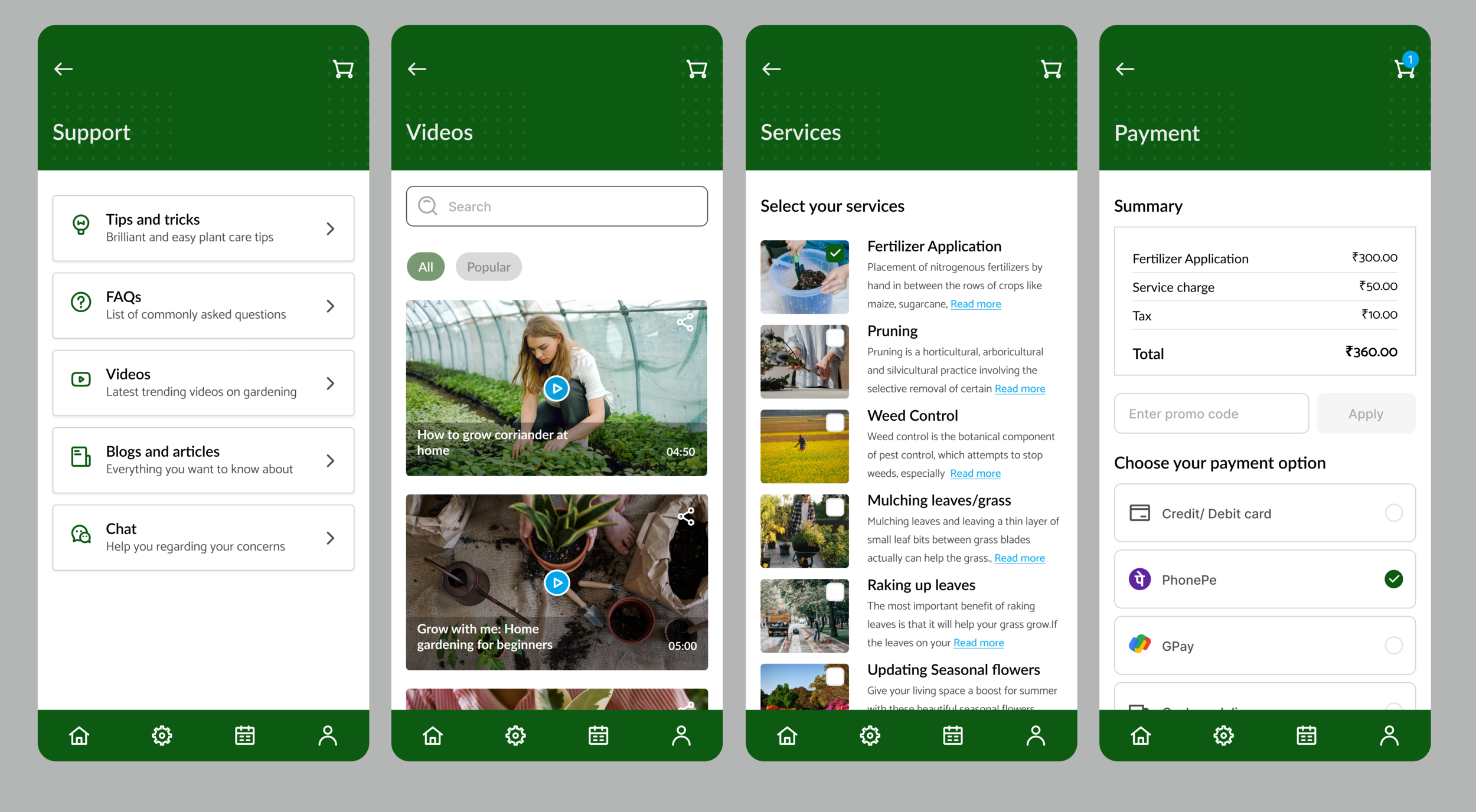
High-fidelity screens — what we built
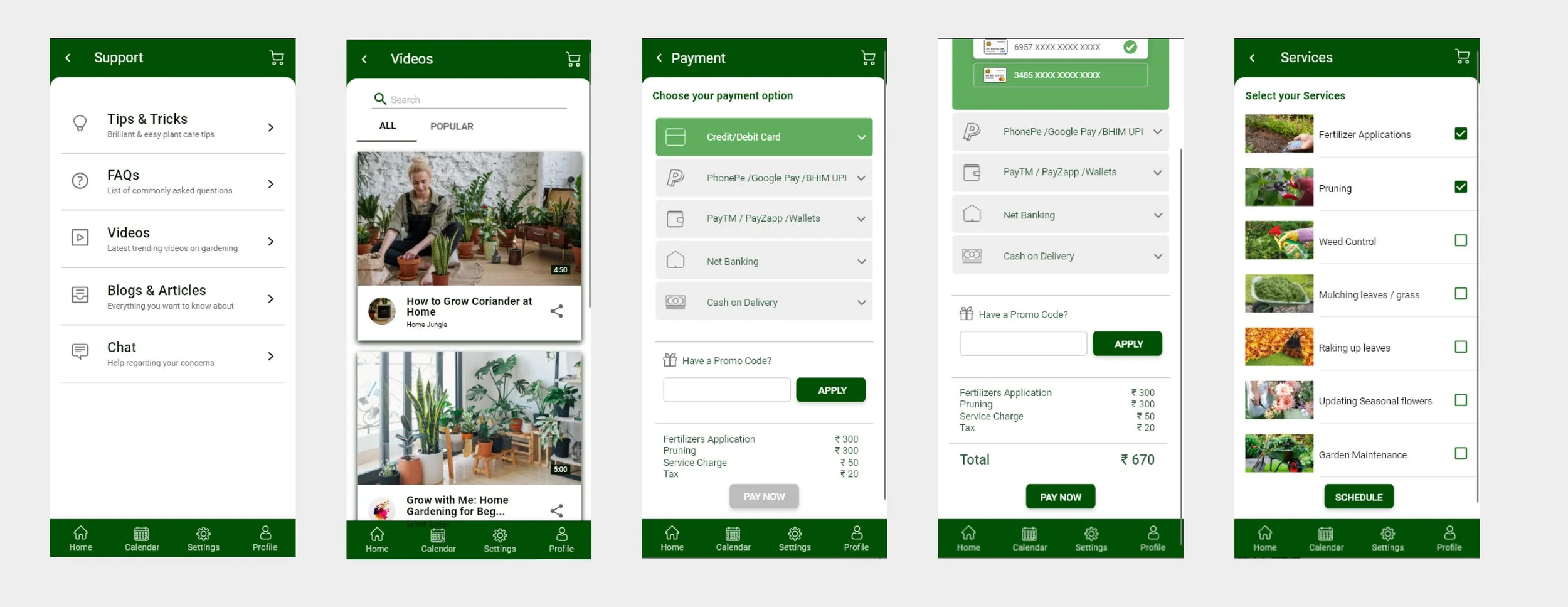
The hi-fi screens translated the wireframe decisions into a visual design. Green was chosen as the primary colour for its obvious connection to nature and growth — it also helped the app feel calm and approachable rather than clinical. Each screen focused on one primary action to reduce cognitive load for beginner users.
Final screens — Support, Videos, Services and Payment
The final four screens cover the core user journey after onboarding — finding plant care information, watching how-to videos, selecting gardening services, and completing payment. Looking at these now, I’d approach the visual design differently — the typography hierarchy needs more contrast and the card layouts are too uniform. But the structure and flow are solid, and that’s what the research was pointing toward.
User Testing
We recruited users matching our three target profiles and gave them a single task — navigate the app and book a gardening service. We observed without guiding them, taking notes on where they moved confidently and where they hesitated.
The sessions were documented into a usability test report. Key patterns emerged quickly — users found the support and video sections intuitive, but needed clearer signposting between the services selection and payment flow.
Conclusion
The usability testing validated that the core flows were working — users could find plant care information, browse services, and complete a booking without assistance. The design addressed the primary pain points we identified in research: scattered information, no guided support, and no easy way to book help when needed.